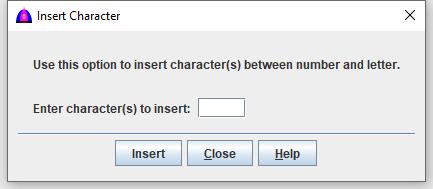
This is the help file for Insert Character option under Insert menu.
To use this feature, click Insert when active on the menu bar, then Character from the drop down to show as below.
This feature is used to insert some characters between a number and a word to the document on the Main tab, example: 1Thaum ub to 1 Thaum ub, or 1. Thaum ub.
For a few words like this, it would be easier to do manually, but for 100, 1,000 or the whole document such as a bible, book or dictionary, it would be very fast.
The software just scans for each word starting with a number followed by any letter without a space. It may work for English, French and other languages as long as they are not written in Unicode.
Procedure
Enter the character(s) to be inserted to its field.