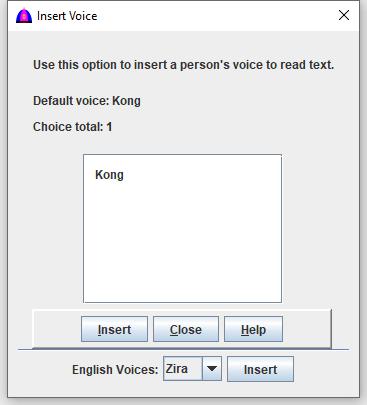
This is the help file for Insert Voice option under Insert menu.
To use this feature, click Insert when active on the menu bar, then Voice from the drop down to show as below.
Procedure
Use this option to insert a person's voice to read text when more voices are available. It is a another way to type the inline command.
The selection choices only show a folder name such as Kong and others, but after inserting, the inline command shows <Voice:Kong> instead. Note: The previous or default voice is used to read text when the selection does not include the inline voice command.
Click the document or the cell of the table where the inline command to be inserted.
Click on a voice to select it, or double click to insert.
Click button to insert to the document at the cursor, or to the selected cell of the table.