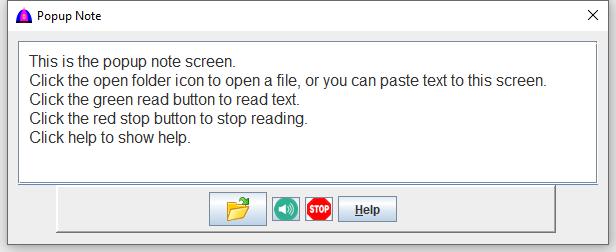
Popup Note
This is the help file for Popup Note.
To use this feature, click the Note menu when available.
Usage
- All shortcut keys such as Ctrl+C, Ctrl+X, Ctrl+Del and Ctrl+V can be used.
- Texts can be pasted from the clipboard to this window.
- Texts open from file or enterred here can be copied and pasted to other areas or table cells.
- Texts in English and in Hmong dialects can be read in the same way as those on the Text tab.
- To read a line without selecting, double click it with the left mouse button.
The following is an example on how to load a file, then to read the texts.
- Click the
 button to open a file to populate this window.
- Click the
 button to read the selected texts, or all the texts will be read if there is no selection.
- Click the
 button to stop the reading.
- Click the button to show this help.
File name: PopupNote.html
Date: 8/17/2021