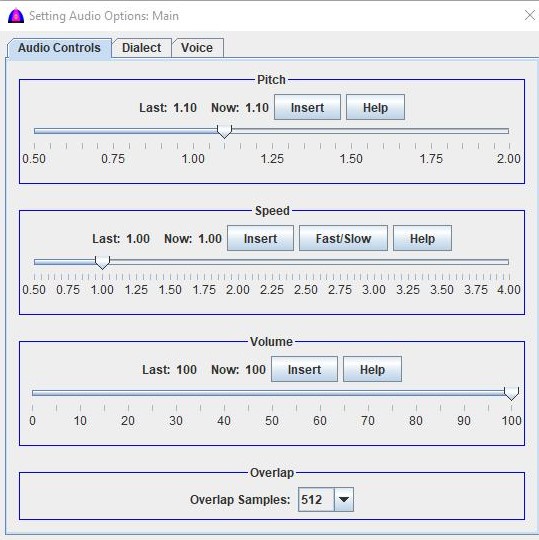
This is the help file to set speed on the Speed, Pitch & Volume tab on the Setting Audio Options window under menu bar.
This setting is applied to the whole document to read and to export texts with faster or slower speed unless there are inserted inline commands.
The normal reading speed is one (1.0) as the same when recording the audio file.
This speed will be overridden by the inline command <Speed:1.25> inserted to the document if there is any.
This setup can be done at anytime, and in case it is done while reading, it takes effect immediately, except long audio file.
Tips
To include a speed to the document, type this inline command <speed:1.25> with no space because the software parses the selected texts by using space as word boundary or separator. Make sure there is a leading space and one trailing one for this command; otherwise, it will be spelled out character by character when reading.
Procedure
To sound normal as the original recording, set it to 1.0.
To get some ideas why the quality of reading is different, check the Signal checkbox on the Common Toolbar to show the audio signal for each value.
When setting to 2.0, the software just skips every other sample in the audio data, or it keeps only half to read, and that is why the density of the signal is less.
When setting to .75, the software needs to fill out the other .25 (25%) to make up the audio data, and that is why there is artifact.
This new setting is saved for subsequent uses until changed again.
To set speed, click on the knob on the slider and drag it to where wanted, then release the mouse button. After releasing the mouse button, the new value should be displayed to the right side of the label Now: 2.00 as example.
Repeat from step above by choosing a different speed as needed.
Click the button to show this help.
There is another button to set ranges for fast speed and slow speed. Refer to its help file and screen SettingSpeedFastSlow.html.